Free WiFi QR code generator
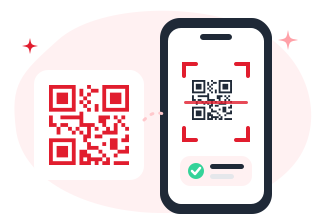
Guests scan once and they’re online. No more spelling out passwords.
1Complete the content
Join a network without typing
Your password is encoded only in the image. It never leaves your browser.
2Design your QR
- Never expires
- No sign-up needed
- PNG & SVG up to 2048 px
- No watermark
How to make a WiFi QR code
- 1
Enter your network
Type the network name (SSID) and password exactly as they are. Both are case-sensitive.
- 2
Choose the security
Most networks use WPA, WPA2 or WPA3. Pick "None" only for open networks.
- 3
Print and place it
Put the code on a table card, at the reception desk or in your rental’s welcome book.
Tips for a better WiFi QR code
- Find the network name and security type on the sticker on your router.
- If you change the WiFi password, you need to create a new code.
- Add a line like "Scan to join our WiFi" next to the code.
- Offer a separate guest network so visitors stay off your main one.
WiFi QR code questions
Quick answers before you print.
Does a WiFi QR code work on iPhone?
Yes. iPhones (iOS 11 and later) and Android phones (Android 10 and later) can join a network straight from the camera app.
Is my WiFi password safe?
Your password never leaves your browser: we don’t send it to our servers. Anyone who scans the code can join the network, so only display it where you would share the password.
What if my network is hidden?
Tick "Hidden network" in step 1 so phones know to look for a network that doesn’t broadcast its name.
More free QR code generators
Ready for QR codes you can edit and track?
Join early access to dynamic QR codes. It's free to start.